

I decided to build a small visual demo after reading “Why Machines Learn”.
It stayed with me longer than most books about artificial intelligence. Not because it was technical, but because it was human.
The demo you see here is my way of translating one big idea from the book into something you can see and feel.
About the Book: “Why Machines Learn”
Why Machines Learn is written by Anil Ananthaswamy, a science journalist known for making complex ideas accessible without dumbing them down. He has written for New Scientist, Nature, and The New York Times, and his work often sits at the intersection of science, philosophy, and culture.
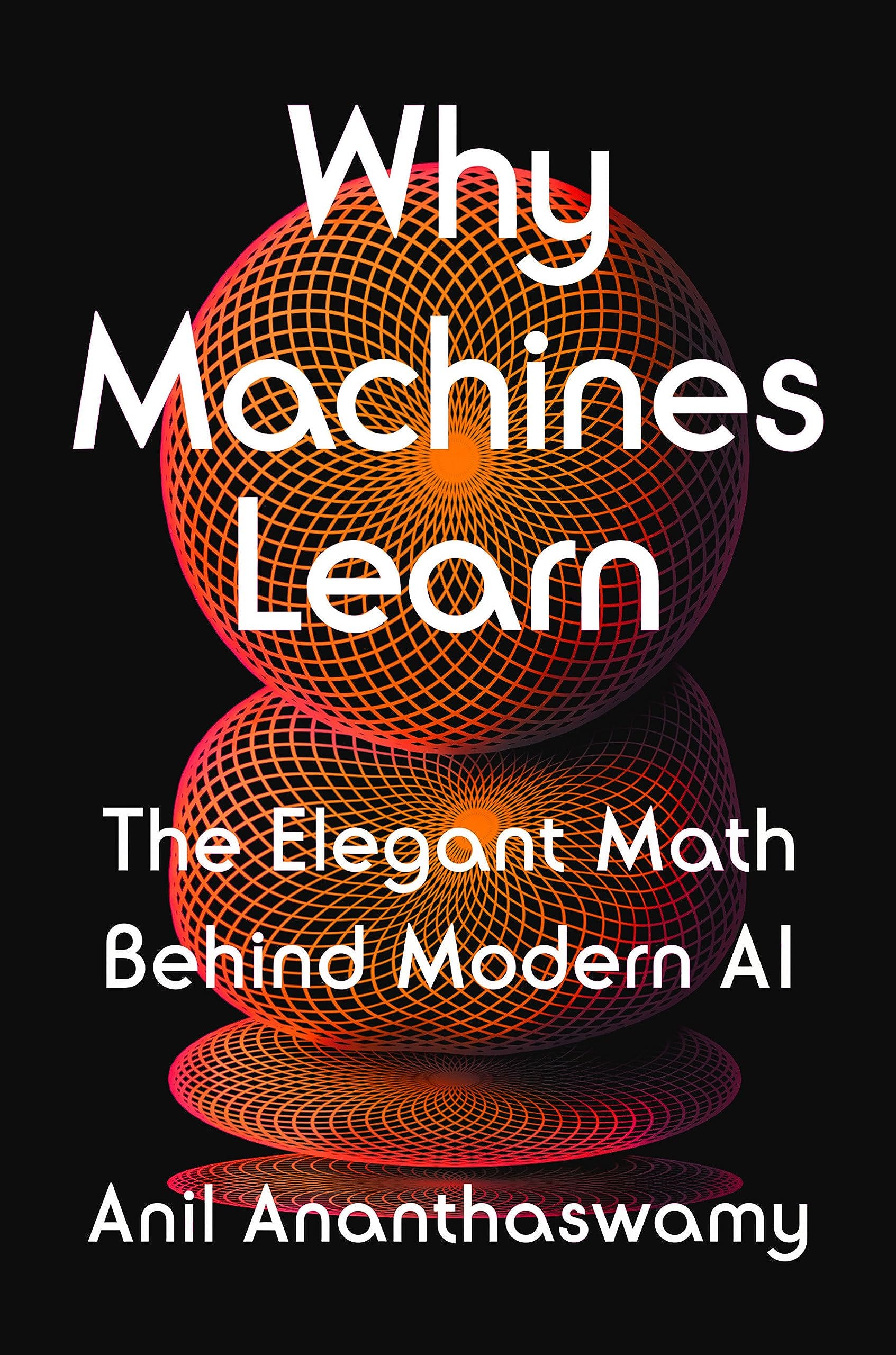
This book is not about hype. It does not promise that AI will replace everyone, nor does it drown the reader in maths. Instead, it asks a deeper question:
Why do machines learn the way they do?
Ananthaswamy explains how learning systems came to be, what ideas shaped them, and what assumptions we quietly embedded into machines long before “AI” became a buzzword.
For me, one message was very clear:
To understand modern AI, you must understand its origins.
A Short History: The Perceptron
At the heart of the book is a humble idea from the late 1950s: the perceptron.
The perceptron was introduced by Frank Rosenblatt in 1957. It was one of the first attempts to build a machine inspired by how the brain works — not in detail, but in spirit.
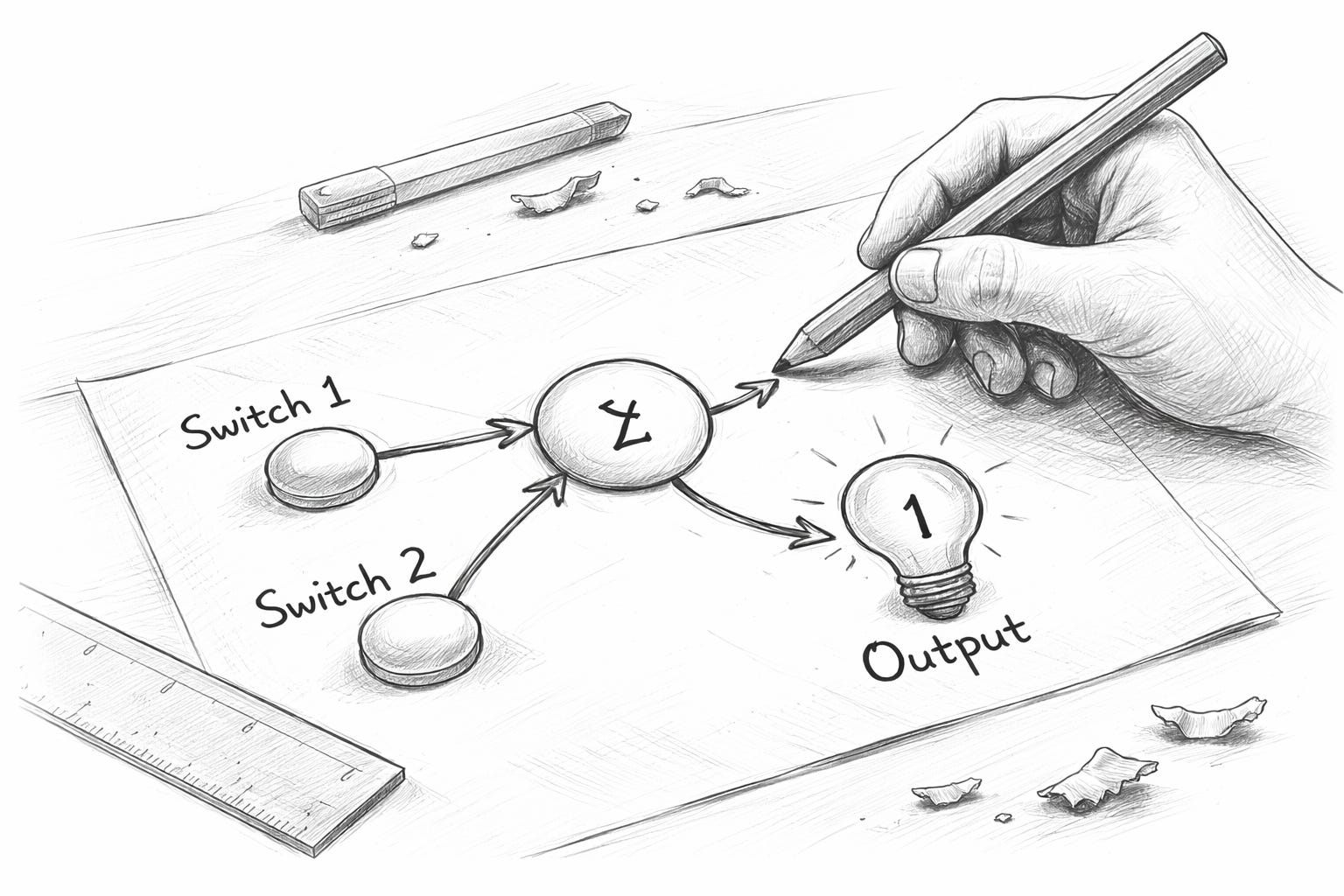
At its core, a perceptron does something extremely simple:
It receives a few inputs
It gives each input a “strength” (a weight)
It adds everything together
It makes a yes/no decision
That’s it.
No imagination. No understanding. Just a rule.
And yet, this tiny idea is the ancestor of today’s neural networks, deep learning systems, and large language models (LLMs).
Why the Perceptron Still Matters
The perceptron matters because it shows us something important:
Intelligence does not start as intelligence.
It starts as decisions.
Before AI could write text, generate images, or drive cars, it had to answer a much simpler question:
“Should this be 0 or 1?”
The perceptron is not smart. It is not creative.
But it learns by adjusting itself when it is wrong.
That learning rule — adjust, try again, improve — is still the foundation of AI today.
Understanding this helps remove some of the mystery around AI. These systems are not magical minds. They are layered decision machines, built on very old ideas.
About This Sketch
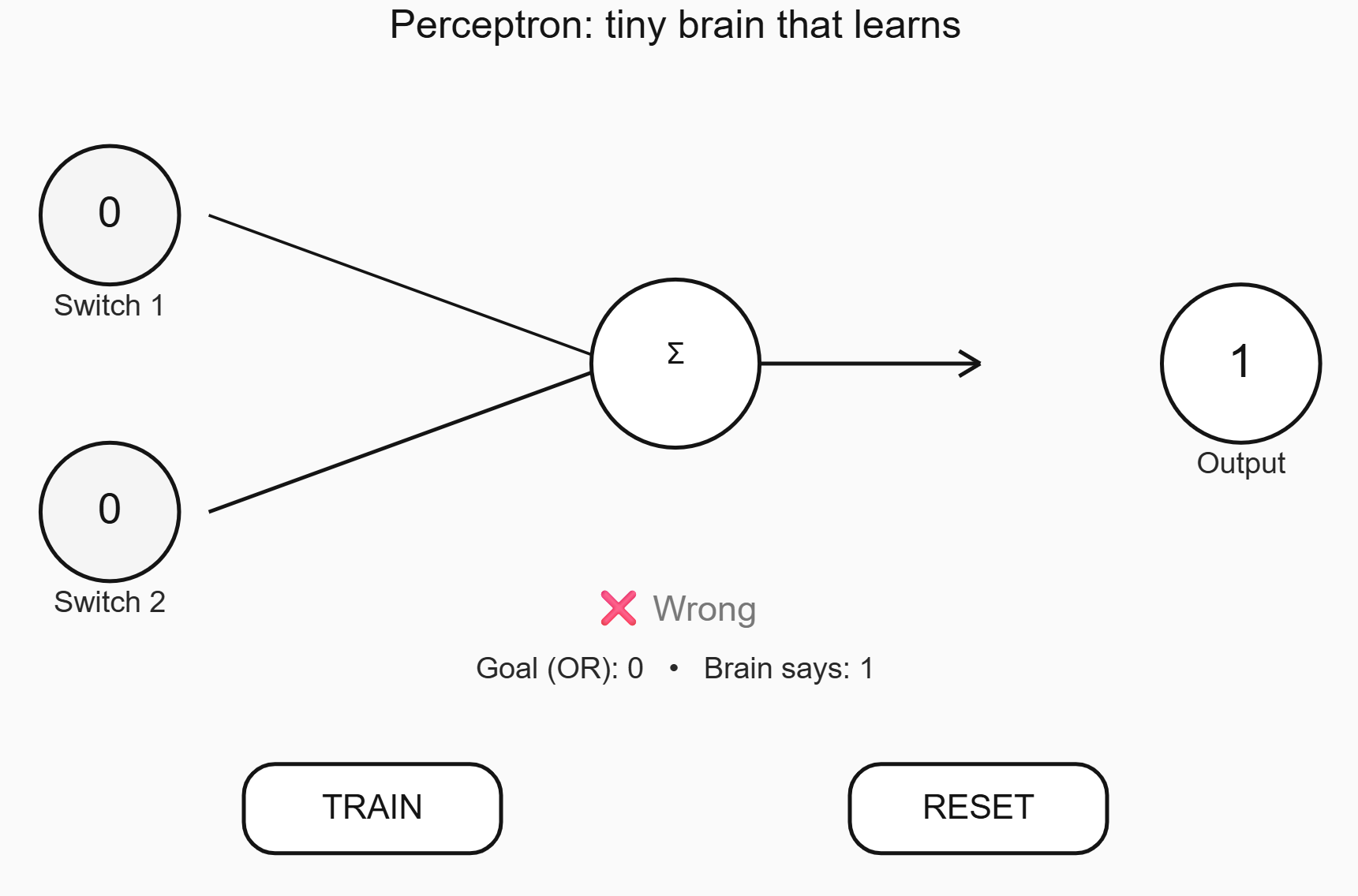
This sketch is a visual, minimal demo of a perceptron, designed so that:
A 12-year-old can understand it
A creative can grasp the idea without maths
A decision-maker can see what “learning” actually means
You will see:
Two simple switches (inputs)
A “brain” that adds things up
An output that turns on or off
When you press TRAIN, the system slightly adjusts itself if it gets the answer wrong. Over time, it improves.
Nothing is hidden.
Nothing is abstract.
What you see is what is happening.
Why I Think This Matters Now
We talk about AI mostly at the level of products, risks, or promises. Rarely at the level of origins.
But understanding where AI comes from changes how we talk about it:
It reduces fear
It reduces hype
It increases responsibility
This demo is not about showing what AI can do today.
It is about remembering what AI actually is.
And that reminder started with a book, a conversation, and a very small idea from more than 60 years ago.
Built after reading Why Machines Learn, by Anil Ananthaswamy — thanks to Ricardo Chaves for the nudge.
P.S. Here is the code in JavaScript I used to simulate the Perceptron:
let w1, w2, b;
let lr = 0.25;

let x1 = 0, x2 = 0;         // inputs (0/1)
let target = 0;             // OR target
let yhat = 0;               // prediction (0/1)
let z = 0;                  // sum

function setup() {
  createCanvas(windowWidth, windowHeight);
  pixelDensity(1);
  resetBrain();
}

function windowResized() {
  resizeCanvas(windowWidth, windowHeight);
}

function resetBrain() {
  w1 = random(-1, 1);
  w2 = random(-1, 1);
  b  = random(-0.5, 0.5);
  updateAll();
}

function draw() {
  background(250);

  const s = min(width, height);
  const big = max(18, s * 0.04);
  const med = max(14, s * 0.03);

  // Layout
  const leftX = width * 0.22;
  const rightX = width * 0.78;
  const midX = width * 0.50;
  const topY = height * 0.22;
  const midY = height * 0.52;
  const botY = height * 0.82;

  // Title
  noStroke();
  fill(20);
  textAlign(CENTER, TOP);
  textSize(big);
  text("Perceptron: tiny brain that learns", width / 2, 12);

  // Two big input switches
  drawSwitch(leftX, topY, "Switch 1", x1, big, med);
  drawSwitch(leftX, midY, "Switch 2", x2, big, med);

  // Wires to brain (thickness shows weight strength)
  const brainX = midX;
  const brainY = height * 0.37;
  drawWire(leftX + s * 0.10, topY, brainX - s * 0.06, brainY, w1, s);
  drawWire(leftX + s * 0.10, midY, brainX - s * 0.06, brainY, w2, s);

  // Brain dot (sum + step)
  drawBrain(brainX, brainY, s);

  // Output light
  drawOutput(rightX, height * 0.37, yhat, big, med);

  // Big readable info (very short!)
  target = OR(x1, x2);
  const ok = (yhat === target);

  fill(ok ? 20 : 120);
  textAlign(CENTER, CENTER);
  textSize(big * 0.9);
  text(ok ? "✅ Correct" : "❌ Wrong", width / 2, height * 0.62);

  fill(40);
  textSize(med);
  text(`Goal (OR): ${target}   •   Brain says: ${yhat}`, width / 2, height * 0.68);

  // Buttons
  drawButton(width * 0.35, botY, "TRAIN", big, med);
  drawButton(width * 0.65, botY, "RESET", big, med);

  // Tiny hint
  fill(90);
  textSize(max(12, s * 0.02));
  text("Tap switches. Tap TRAIN a few times.", width / 2, height - 18);

  // Keep values updated
  updateAll();
}

function updateAll() {
  z = w1 * x1 + w2 * x2 + b;
  yhat = step(z);
}

function step(v) {
  return v >= 0 ? 1 : 0;
}

function OR(a, c) {
  return (a === 1 || c === 1) ? 1 : 0;
}

// ---------- Drawing helpers ----------

function drawSwitch(x, y, label, value, big, med) {
  const s = min(width, height);
  const r = s * 0.07;

  // circle
  stroke(20);
  strokeWeight(max(2, s * 0.004));
  fill(value === 1 ? 255 : 245);
  circle(x, y, r * 2);

  // value
  noStroke();
  fill(20);
  textAlign(CENTER, CENTER);
  textSize(big * 1.1);
  text(value, x, y);

  // label
  fill(40);
  textSize(med);
  textAlign(CENTER, TOP);
  text(label, x, y + r + 10);
}

function drawWire(x1p, y1p, x2p, y2p, w, s) {
  const thick = map(constrain(abs(w), 0, 2), 0, 2, 2, 10);
  stroke(20);
  strokeWeight(thick);
  line(x1p, y1p, x2p, y2p);
}

function drawBrain(x, y, s) {
  const r = s * 0.085;

  // body
  stroke(20);
  strokeWeight(max(2, s * 0.004));
  fill(255);
  circle(x, y, r * 2);

  // tiny face: sum -> step
  noStroke();
  fill(20);
  textAlign(CENTER, CENTER);
  textSize(max(16, s * 0.03));
  text("Σ", x, y - r * 0.1);

  // arrow to output (simple)
  stroke(20);
  strokeWeight(max(2, s * 0.004));
  const outX = width * 0.68;
  line(x + r, y, outX - r * 0.7, y);

  // little arrow head
  const ah = r * 0.25;
  line(outX - r * 0.7, y, outX - r * 0.7 - ah, y - ah * 0.6);
  line(outX - r * 0.7, y, outX - r * 0.7 - ah, y + ah * 0.6);
}

function drawOutput(x, y, value, big, med) {
  const s = min(width, height);
  const r = s * 0.08;

  stroke(20);
  strokeWeight(max(2, s * 0.004));
  fill(value === 1 ? 255 : 245);
  circle(x, y, r * 2);

  // big output number
  noStroke();
  fill(20);
  textAlign(CENTER, CENTER);
  textSize(big * 1.2);
  text(value, x, y);

  // label
  fill(40);
  textAlign(CENTER, TOP);
  textSize(med);
  text("Output", x, y + r + 10);
}

function drawButton(x, y, label, big, med) {
  const s = min(width, height);
  const w = s * 0.26;
  const h = s * 0.09;
  const r = h * 0.35;

  rectMode(CENTER);
  stroke(20);
  strokeWeight(max(2, s * 0.004));
  fill(255);
  rect(x, y, w, h, r);

  noStroke();
  fill(20);
  textAlign(CENTER, CENTER);
  textSize(big * 0.85);
  text(label, x, y + 1);
}

// ---------- Interaction ----------

function mousePressed() {
  const s = min(width, height);
  const leftX = width * 0.22;
  const topY = height * 0.22;
  const midY = height * 0.52;

  // switches
  const rSwitch = s * 0.07;
  if (dist(mouseX, mouseY, leftX, topY) < rSwitch) {
    x1 = 1 - x1;
    return;
  }
  if (dist(mouseX, mouseY, leftX, midY) < rSwitch) {
    x2 = 1 - x2;
    return;
  }

  // buttons
  const botY = height * 0.82;
  if (hitButton(width * 0.35, botY)) {
    trainOnce();
    return;
  }
  if (hitButton(width * 0.65, botY)) {
    resetBrain();
    return;
  }
}

function touchStarted() {
  mousePressed();
  return false;
}

function hitButton(cx, cy) {
  const s = min(width, height);
  const w = s * 0.26;
  const h = s * 0.09;
  return (abs(mouseX - cx) < w / 2 && abs(mouseY - cy) < h / 2);
}

function trainOnce() {
  // learn OR for the current switches
  const y = OR(x1, x2);
  const err = y - yhat;

  // classic perceptron update
  w1 += lr * err * x1;
  w2 += lr * err * x2;
  b  += lr * err;
}